AI web development for the site you already run
Most small business websites do not need a rebuild. They need someone to fix the pages that lose visitors, keep content current, tidy up the product catalog, and add the technical pieces search engines look for. Reach Them AI gives you AI web development agents that connect to your Wix site or Shopify store, read what is there, and make the changes you approve.
The agent reads freely. Edits to the site wait until you confirm them.
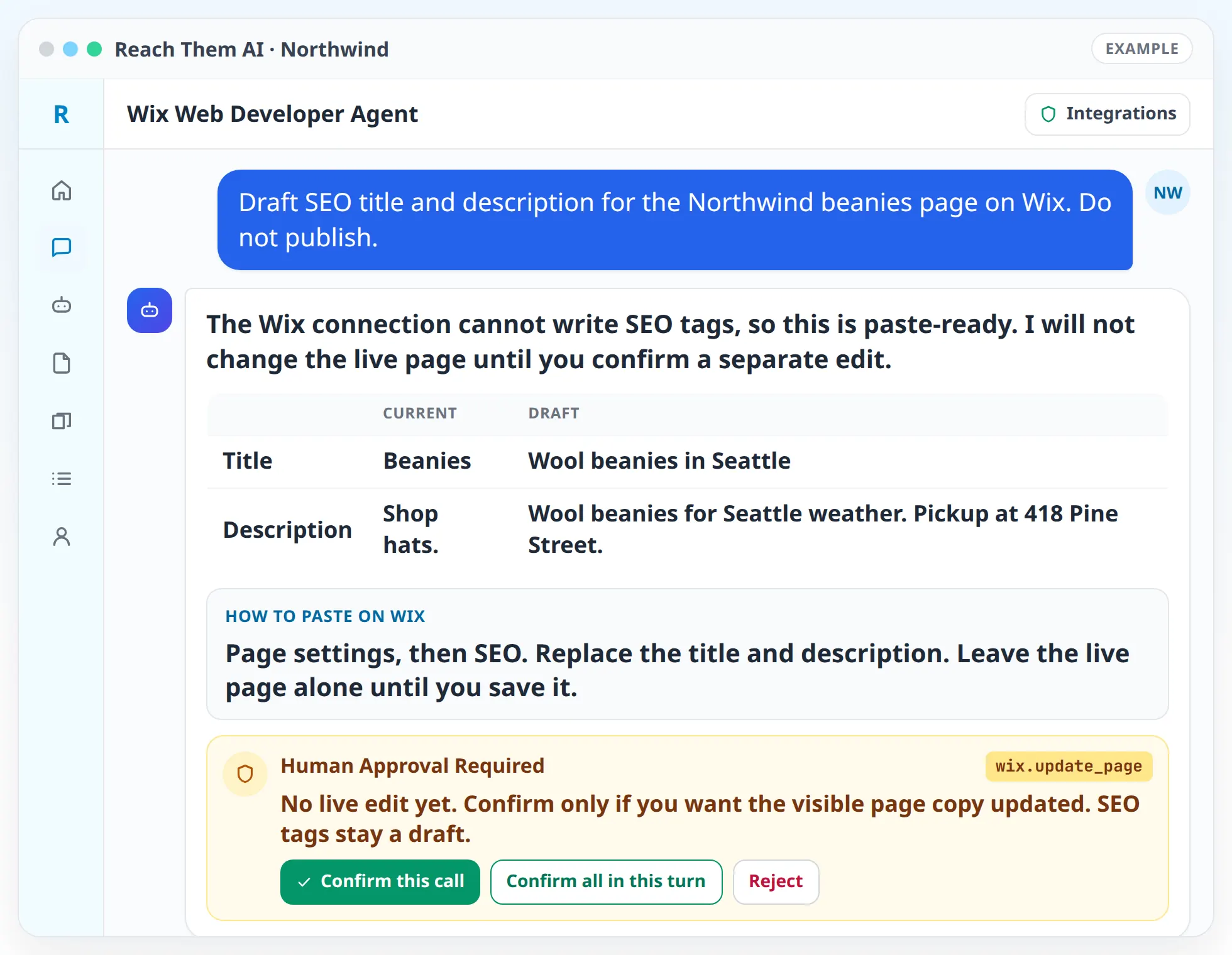
The agents check before they change anything. You see the current content, the proposed change, and why it matters, then you decide.
What the web development agents do
On Wix
- Read your site setup. Site properties, pages, apps, roles, and locations, so the agent knows what it is working with before it suggests anything.
- Manage CMS collections. Add and update items in your Wix data collections, such as team members, locations, services, or blog entries.
- Handle media. Prepare uploads and imports for the Wix Media Manager.
- Work with Wix Stores. Create and update products, check inventory, and organize collections.
- Review contacts and form submissions. Find leads from your site forms and label contacts, with care for personal data.
- Draft SEO. Page titles, meta descriptions, image alt text, and schema markup, ready for you to apply in the Wix editor.
- Write custom code. Velo code for custom features, with instructions on where it goes and how to test it.
On Shopify
- Update products and collections, including variants, images, tags, and status.
- Write product SEO titles and descriptions and apply them after you confirm.
- Work with metafields for custom product data.
- Report on store health from orders, products, and inventory.
On any website
- Audit pages with Firecrawl for broken links, missing titles, and thin content.
- Write LocalBusiness and product schema markup.
- Find the pages that get traffic but few conversions using Google Analytics and Search Console, and suggest changes to those pages.
How it works, step by step
- 01
Connect your site. Wix connects with an API key. Shopify connects with OAuth. Add Firecrawl, Google Analytics, and Search Console for audits.
- 02
Tell the agent the job. "Add our new location to the locations collection," "fix the product titles in the summer collection," or "find out why the contact page converts poorly."
- 03
Let the agent look first. It reads the site context and the current content, then explains what it found.
- 04
Review the change. You see the exact before and after for every item it plans to edit.
- 05
Approve. The agent applies the change on Wix or Shopify and shows proof that it worked, such as the updated record.
- 06
Hand off what it cannot apply. SEO tags on Wix and custom Velo code come to you as drafts with clear steps to add them.
Integrations the agents use
 Wix
WixWix for CMS, media, Stores, contacts, members, forms, and site properties
 Shopify
Shopify for products, collections, inventory, orders, metafields, and discounts
 Firecrawl
Firecrawl for page audits and competitor research
 Google Analytics
 Google Search Console
Google Analytics and Google Search Console for traffic and search performance
 Semrush
Semrush for keyword data behind page and product copy
 Google Docs
 Google Sheets
Google Docs and Google Sheets for page briefs, content plans, and bulk product edits
What you approve before anything goes live
The agents read freely and write only with your approval. Before any edit to a CMS item, product, price, inventory level, or order, the agent shows you the change and waits. Deletes, bulk edits, price changes, and order cancellations get an extra confirmation step.
Some changes stay manual on purpose. The Wix connection does not let the agent write SEO tags or push code into the editor, so those arrive as drafts with instructions. Scheduled automations stay read-only unless you turn on live actions for that automation.
What these agents do not do
The agents do not design and launch a brand new website from scratch, and they do not host sites. They work on the Wix site or Shopify store you already have. If you are starting from zero, set up your site on Wix or Shopify first and connect it.
Who this is for
- Small businesses on Wix that want content and SEO kept up to date without learning every editor menu
- Shopify store owners with large catalogs that need product data cleaned up
- Service businesses that need location pages and schema added to their site
- Agencies managing several client sites on Wix or Shopify
- Owners who want a developer's checklist and code drafts before hiring someone to finish the work
Agent templates for web development
Related services
FAQ
Can the agent build a new website for me?
Not from scratch. The agents work on an existing Wix site or Shopify store. They can add and update content, products, and collections, and they draft SEO tags, schema, and custom code.
Which website platforms are supported?
Wix and Shopify connect directly. For other platforms, the agents can audit your pages with Firecrawl and write the copy, schema, and code for you or your developer to add.
Can the agent change my live site?
Yes, after you approve each change. It can update Wix CMS items and Stores products and Shopify products and collections. Deletes, bulk edits, and price changes need an extra confirmation.
Does the agent write custom code?
It writes Velo code for Wix with notes on where it goes and how to test it. You or your developer add the code in the Wix editor.
Is my customer data safe with the agent?
The agent treats contacts, members, and form submissions as personal data. It does not export customer lists unless you ask for that export and confirm it.
Put an agent to work on your website
Connect your Wix site or Shopify store and describe the first job. The agent reads the site, shows you the plan, and waits for your approval.